
Anyone signing up for Claude, ChatGPT, or Google from overseas eventually hits the same US phone-verification wall. Most cheap lines are VoIP and get rejected on sight; Talkatone costs $3/month ($36/year), RedteaGO is pricey, and giffgaff is notorious for suspensions. After six months of daily testing, Saily's US phone number is the one I kept—just US$4.99 for year one (~$0.40/month) and verified as a genuine CELL PHONE line.
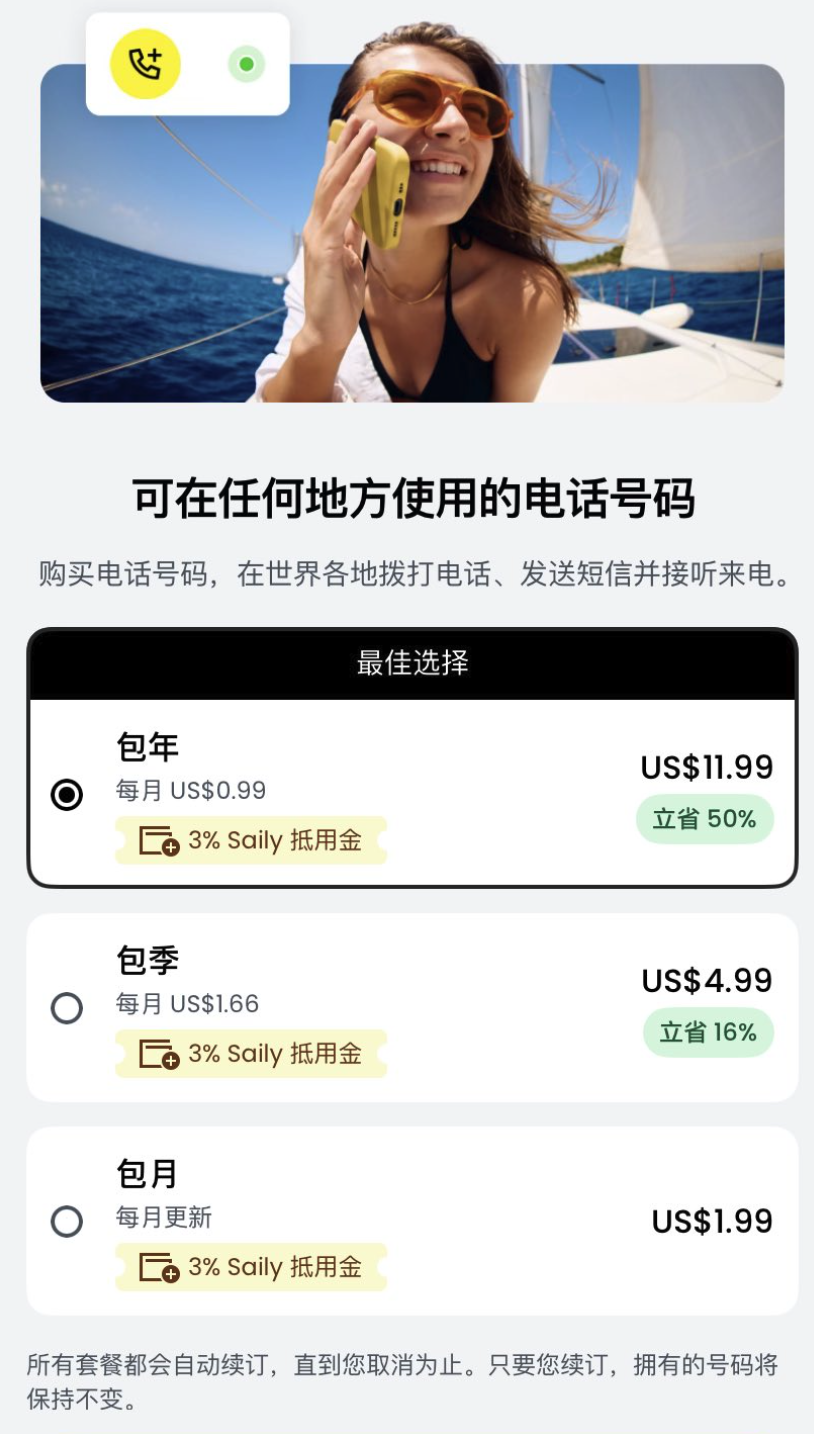
HOMEThe year-one math is straightforward: Saily's annual plan lists at US$11.99/year (about half the $1.99/month rate). New accounts get a $2 credit, and manually entering Official Invite Code HOME at checkout (it will not apply automatically) deducts another $5, bringing year one to US$4.99. Renewal is $11.99/year in year two—low enough that even trying it for a single year is almost zero risk.
01 Under $5/Year—Is It Just Another VoIP Line?
Don’t guess—check the line type directly on PhoneValidator (you can test any other US number you already own here, too): Click here https://phonevalidator.com/results.aspx.
Look at PHONE LINE TYPE: CELL PHONE means a real mobile-grade carrier line; VOIP means a virtual number that strict verification systems frequently block.
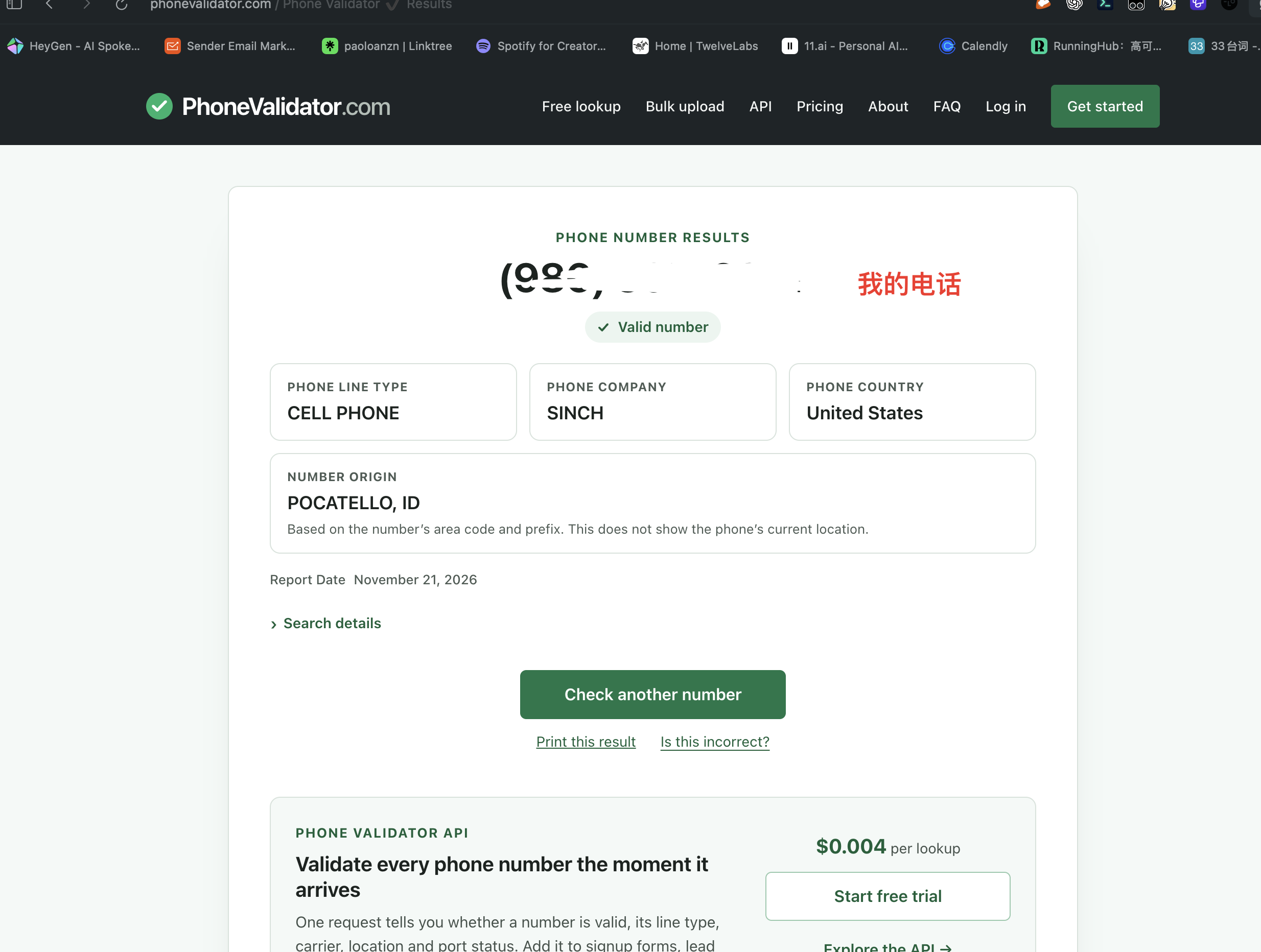
Most overseas platforms don’t care how expensive your SIM is—they check the line type.
Because Saily issues a genuine CELL PHONE line rather than VoIP, SMS verification for Claude, ChatGPT, and Google has worked cleanly without instant blocks or giffgaff-style suspensions.
For Claude specifically, I have paired an AT&T business email with this Saily number for six straight months without a ban. Clean network hygiene and legitimate payment cards still matter, of course, but on the SMS verification side this has been the most reliable low-cost setup I’ve used.
02 Read Before Paying: Skip One Screen for Global Use
There is only one critical trap in the checkout flow—lock this rule in before paying:
Confirm three prerequisites before paying:
- Your phone must support eSIM: Click “Device compatibility” on Saily’s page first to verify your device.
- In-app identity verification is required after purchase: Saily notes at the bottom of the product page that you must complete KYC in the Saily app before activation.
- Auto-renewal is enabled by default: Renewing keeps your number; if you only want year one, cancel auto-renew before your next billing date.
03 6-Step Desktop Setup for $4.99
Use a desktop browser for the purchase flow—the buttons are clearer and harder to misclick.
Step 1: Open the Desktop Link and Sign In First
Open the sign-up page: Click here https://saily.onelink.me/5Txv/HOME.
Sign in or register at the top of the page with Google or Apple first so your new-user credit binds to your account.
Step 2: Scroll Down → “Learn More” → “Get Phone Number”
Scroll down to the phone number section, open the detail page, and click the black “Get phone number” button (check “Device compatibility” beside it if you aren’t sure about your device).

Step 3: Pick Annual, Then Click the Black “Get Number Only” Button
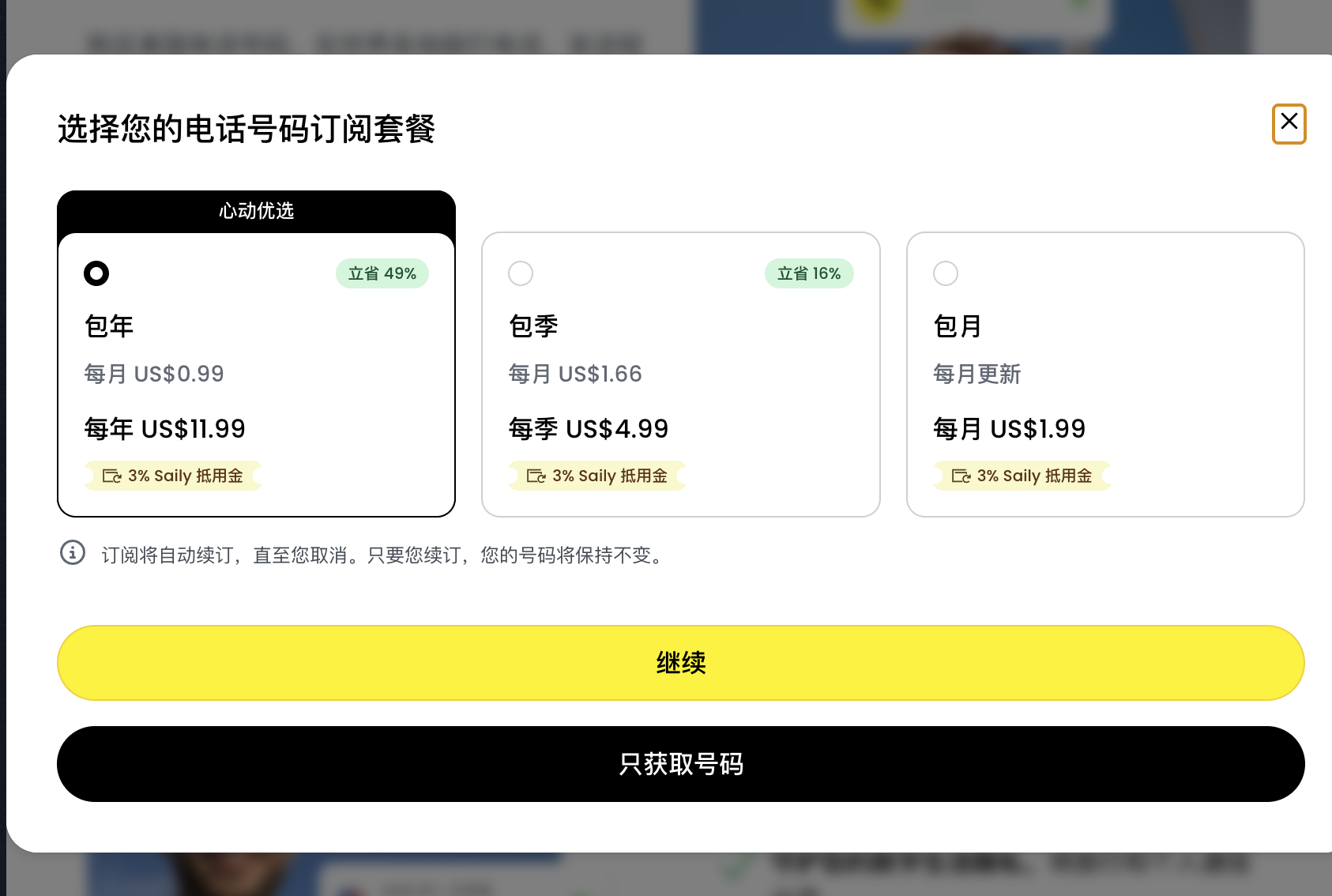
Select the Annual plan (US$11.99/year) on the left. Do not click the yellow “Continue” button—click the black “Get number only” button at the bottom.
Step 4: Click “Skip for Now” on Destination and Add-On Plans
Whenever checkout asks for a destination or calling/data add-on, click “Skip for now” and proceed straight to checkout.
Step 5: Enter Official Invite Code HOME and Pay US$4.99
Checkout displays US$11.99 initially. Manually type Official Invite Code HOME (it will not apply automatically) to take US$5.00 off. Combined with the $2 new-user credit, your final total is US$4.99.
If the code throws an error: click the × next to the code to remove it, refresh the page, and re-enter it. Checkout supports credit cards, Apple Pay, and Google Pay.

Step 6: Log Into the Saily Mobile App to Verify and Activate eSIM
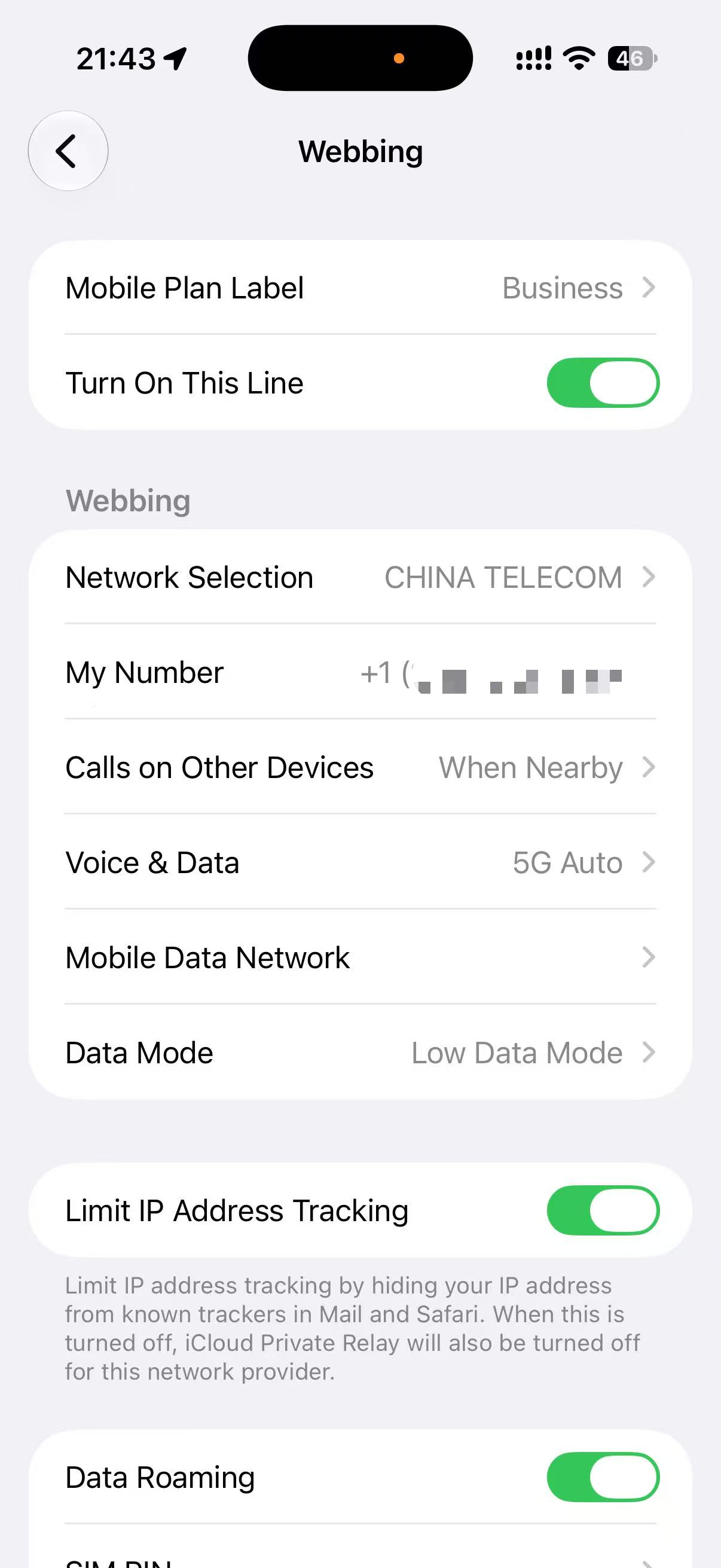
Once desktop checkout completes, open the Saily app on your phone with the same account, finish identity verification, and install the eSIM. Afterwards, drop your new +1 number into PhoneValidator—seeing CELL PHONE confirms you are good to go.
Quick Links & Tools
Official Invite Code HOME · Enter manually at checkout for -$5, stacking with the $2 new-user credit for US$4.99 in year one (check live checkout total before paying)