
When I saw Plasma One popping up on my feed over the last couple of days, my first reaction was pretty simple.
Another “god-tier card”?
4% cash back, AI subscription rebates, a ChatGPT Go subsidy, spending directly via Visa from your stablecoin balance, and Apple Pay support.
It definitely sounds easy to get hyped about.
But after digging through the rules, the card didn’t feel that magical to me.
It works, and it has a sweet spot.
But it’s not the kind of card you can swipe mindlessly where the more you spend, the more you make.
For Core users, spending around $1,000 a month is about right.
Because the first $1,000 gets you 3%, and the cash back rate drops after that.
For Platinum users, the truly comfortable range is the first $10,000.
The first $1,000 gets 4%, and it stays at 3% up to $10,000—past that, it’s not nearly as sexy.
Whether mainland Chinese users can register comes down to whether your proof of address matches what you entered. The passport itself is rarely the blocker.
This point is crucial.
A lot of tutorials frame it like some esoteric ritual, but when people actually get stuck, it’s almost always because the name, address, and proof of address don’t line up.
Speaking of cash back, skip the promo posters and look straight at the tiers.
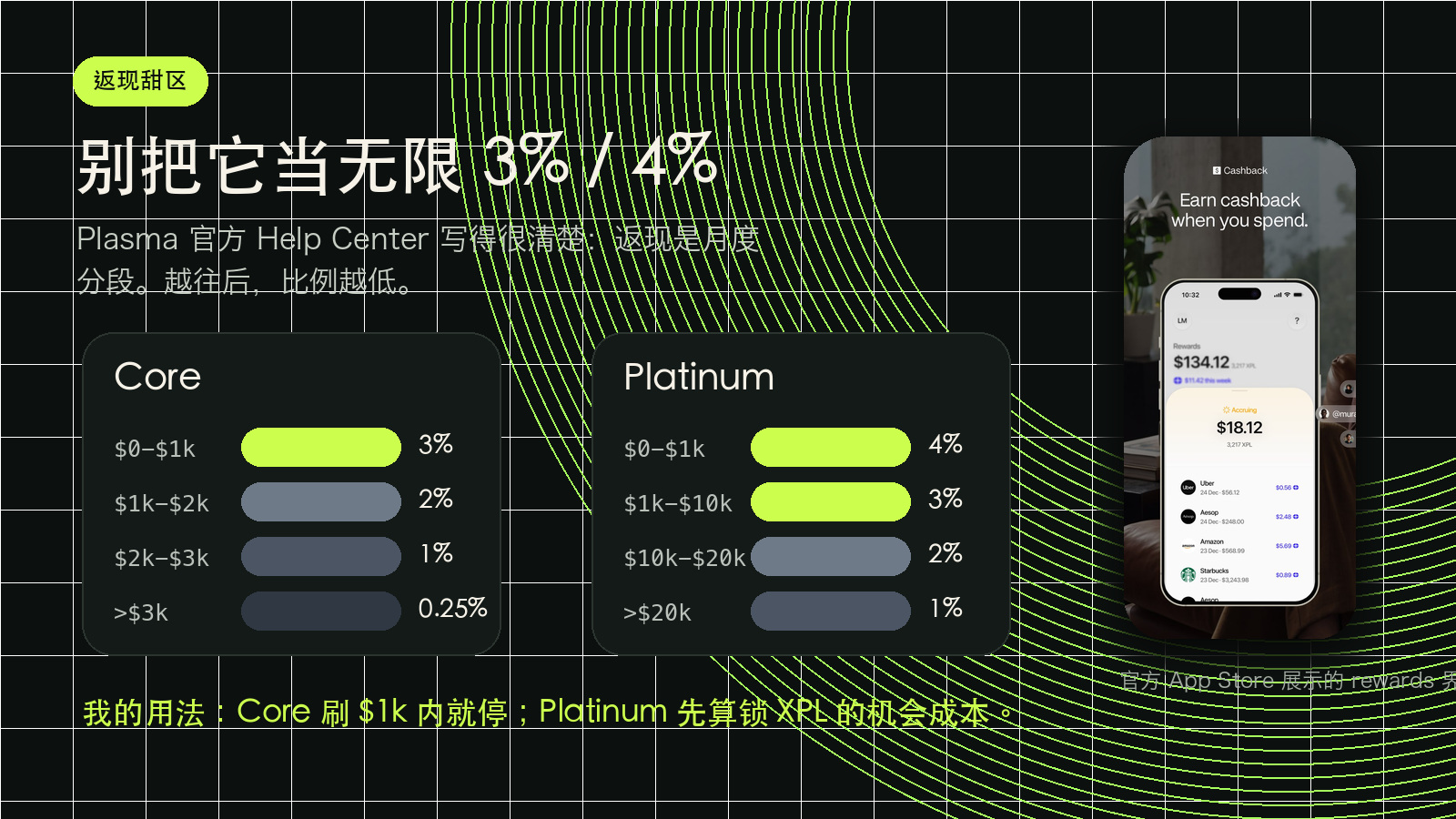
Here’s how the base cash back looks for Core:
First $1,000: 3%.
Up to $2,000: 2%.
Up to $3,000: 1%.
Over $3,000: 0.25%.
So if you’re just after the cash back, Core’s sweet spot is keeping it under $1,000 a month.
For example, if you already have regular USD expenses—AI subscriptions, foreign software, routine small purchases—running them through this card to pocket 3% works well enough.
But forcing thousands of dollars of spend just to chase cash back? Not worth it in my view.
Platinum looks a bit more impressive.
First $1,000: 4%.
Up to $10,000: 3%.
Up to $20,000: 2%.
Over $20,000: 1%.
The catch is that Platinum doesn’t come free.
The current rules require locking up 100,000 XPL for 12 months, which will later increase to 150,000 XPL.
At that point, it’s not just getting a regular card.
You’re taking on the price volatility of a stash of XPL in exchange for higher cash back and perks.
So my take is: unless you have steady, large-volume USD spending, or you were already planning to lock up XPL, don’t let Platinum’s 4% go to your head.
Just start with Core to test the waters.
The card also has a pretty practical little perk: Core offers up to an $8/month ChatGPT Go rebate.
I actually find this more legit than a lot of the splashy marketing claims.
Because AI subscriptions are something you’re paying for anyway, so every bit saved counts.
Back to registration.
Looking through feedback on X, people with mainland Chinese passports definitely have gotten approved.
Just don’t take that to mean “any mainland user can breeze through without effort.”
KYC was never a tutorial-following game to begin with.
The details you enter, the info on your ID, and what’s on your proof of address all need to corroborate one another.
That’s the whole point.

If you want to give it a try, this is roughly the sequence:
- Download Plasma One and register an account.
During sign-up, it will ask you to select a region. The most common route in the community is choosing Hong Kong.
But by no means should you interpret this as grabbing any random Hong Kong address to fill in.
If they ask for proof of address later on, you have to be able to provide documentation that matches that exact address.
Without authentic, verifiable documents, don’t force it.
- Complete ID verification.
Select China as the issuing country.
Use a passport if possible.
Some say national ID cards work, but I wouldn’t call that a reliable path. A passport at least aligns better with English naming.
- Fill in your address.
Don’t get sloppy here.
If you selected Hong Kong earlier, provide a corresponding Hong Kong address.
More crucially, your subsequent proof of address must show the exact same address.
A missing floor, a mismatched unit, or inconsistent name formatting can all cause problems.
- Upload proof of address.
This is where people trip up most often.
Ideally, your documents should be from the last 3 months: bank statements, utility or telecom bills, government correspondence, or a lease agreement.
The file must be complete and clear, with your name and address clearly legible.
Don’t gamble with screenshots, half-cropped images, or blurry photos.
- After submitting, don’t rush to close the verification page.
A detail many in the community have noted is that after uploading your documents, you’ll enter a screen showing the review is in progress.
Don’t instinctively tap the close button in the top-right corner.
Wait a moment and let it redirect back to the home screen on its own.
If everything went smoothly, you should usually see that the card is ready to activate.
This is community experience, not a magic button.
What really determines the outcome is whether your information actually lines up.
If it fails, don’t rush to open a new account right away.
Check these things first:
Does the name match the passport?
Does the address match the proof of address?
Is the proof of address dated within the last 3 months?
Is the document complete and legible?
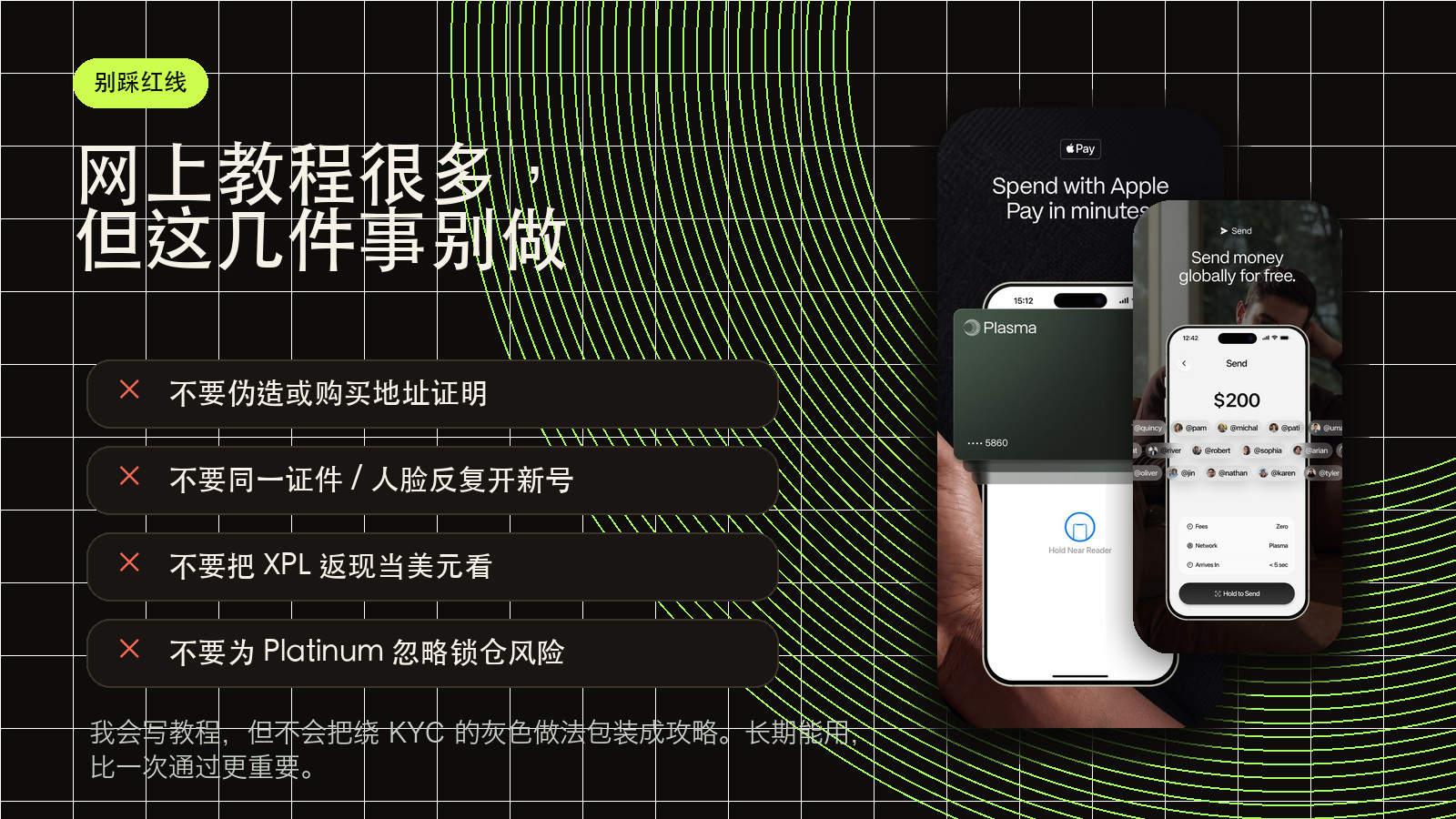
Have the same ID and the same face already been submitted repeatedly?
I know there are plenty of wilder suggestions circulating online.
Like buying fake proof of address, doctoring documents, or burning and remaking accounts on failure.
That might look like a shortcut in the short term, but over time it turns your financial accounts into disposable trash.
If you’re just looking to churn once and bail, that’s up to you.
But if you actually want to use the card long-term, I wouldn’t recommend playing that game.
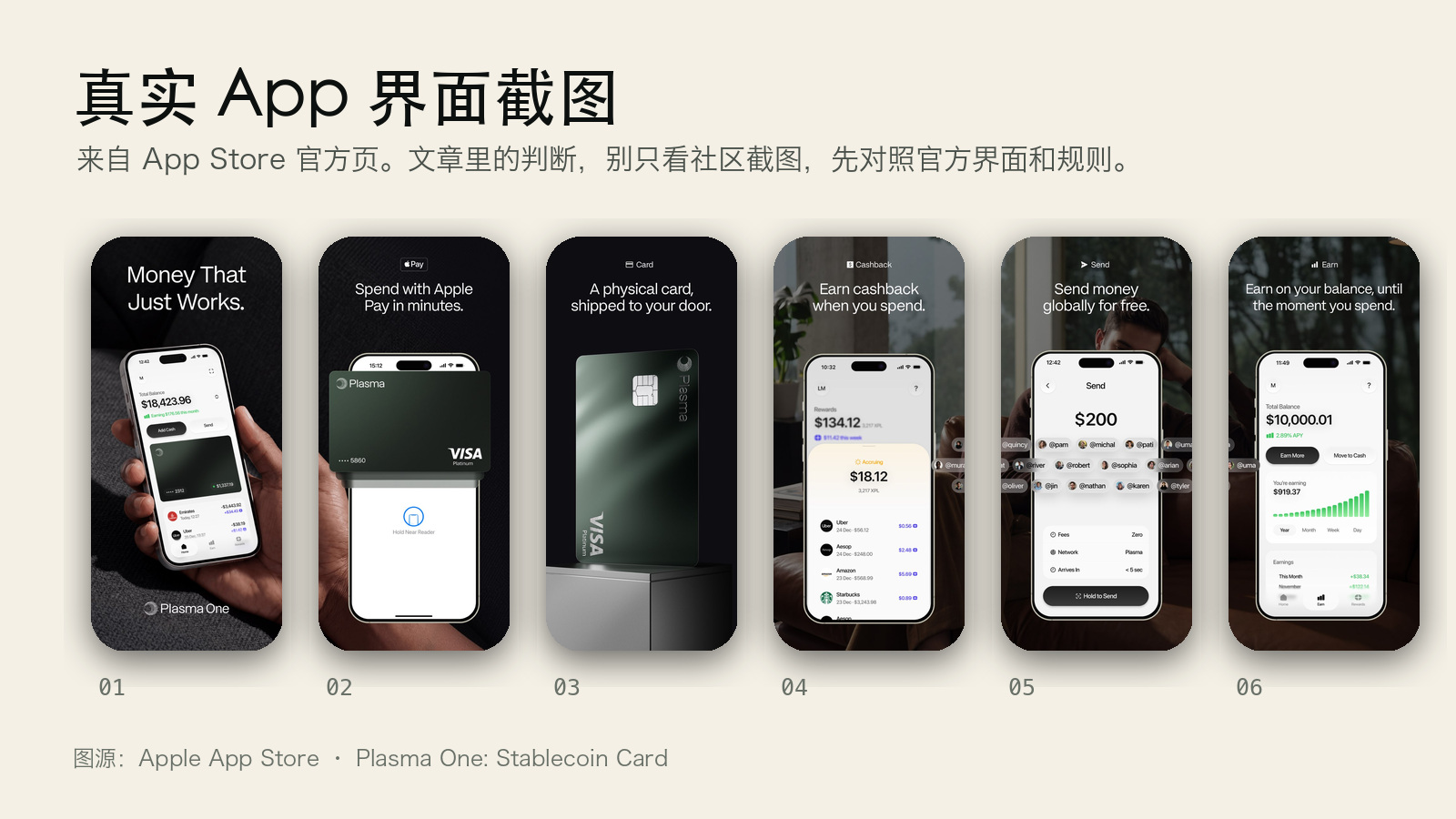
The app looks roughly like this.
It’s nothing complicated—just standard screens for balances, cards, cash back, and transfers.
How would I personally use it?
Pretty simple.
Start with Core.
Pocket the 3% on the first $1,000 each month.
Route AI subscriptions through it where possible, like smaller plans such as ChatGPT Go.
No rush on Platinum.
Unless you already have heavy USD spending and are fine locking up XPL for 12 months.
Otherwise, locking up a large chunk of volatile assets just for 4% is unnecessary.
Don’t view the cash back as US dollars, either.
It’s paid out in XPL.
It might look like a gain today, but nobody can guarantee where the price goes down the road.
So the people this card suits best aren’t the ones who jump in the second they see the words “god-tier card.”
It’s much better suited for people who already spend in foreign currencies, already pay for AI subscriptions, and can tolerate the risks of stablecoin products.
If your needs happen to align with that, it’s worth a shot.
If not, don’t run around creating work for yourself just to chase some cash back.
I’ll leave the sign-up link here.
App Store link: https://apps.apple.com/app/plasma-one-stablecoin-card/id6759033493