
Sit at a computer long enough and one of the most annoying parts of the day is typing.
Replying to a long message on WeChat, writing the Friday status report, jotting down a quick to-do — once there are enough characters, my fingers ache. Sending a voice message instead is easier, but dropping a 60-second clip into a work group chat annoys people. And the dictation built into the operating system captures every “um” and “uh” and every garbled restart, so I end up back at the keyboard cleaning it up, which takes longer than just typing the thing myself.
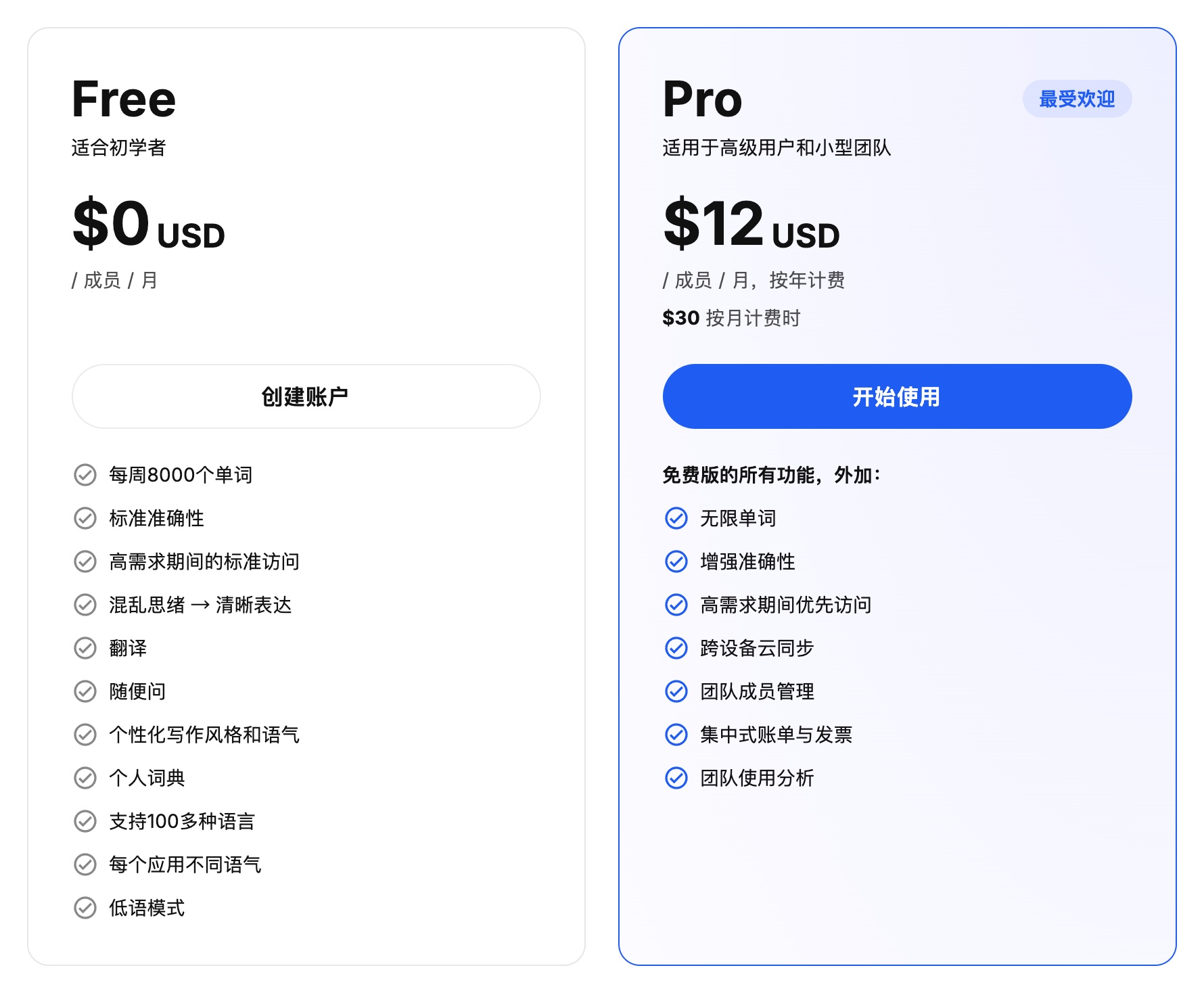
That is why I had been using Typeless. It genuinely is clever. Unlike ordinary voice typing, it works out what you meant to say and turns the filler and the mid-sentence corrections into one clean, readable paragraph.
I used it for a year and never subscribed.
The reason is simple: the free tier caps you at 8,000 words a week, and the output is slow. Every time I finished speaking and let go of the key, it sat there for several seconds before slowly producing the text, which is more than enough to derail a train of thought. Lifting the cap and getting faster output costs 12 to 30 US dollars a month, which adds up to a couple of hundred over a year. I only wanted to save myself some keystrokes; I had no interest in paying that every month for a small typing utility.
Then NetEase Youdao launched Bagesuo (bug.youdao.com). It is completely free and the text comes out fast, so it has taken over as my main tool.
Really Just Two Things: It Is Fast, and It Is Free
Bagesuo runs on Mac and Windows, and works as soon as you download it.
Two things won me over:
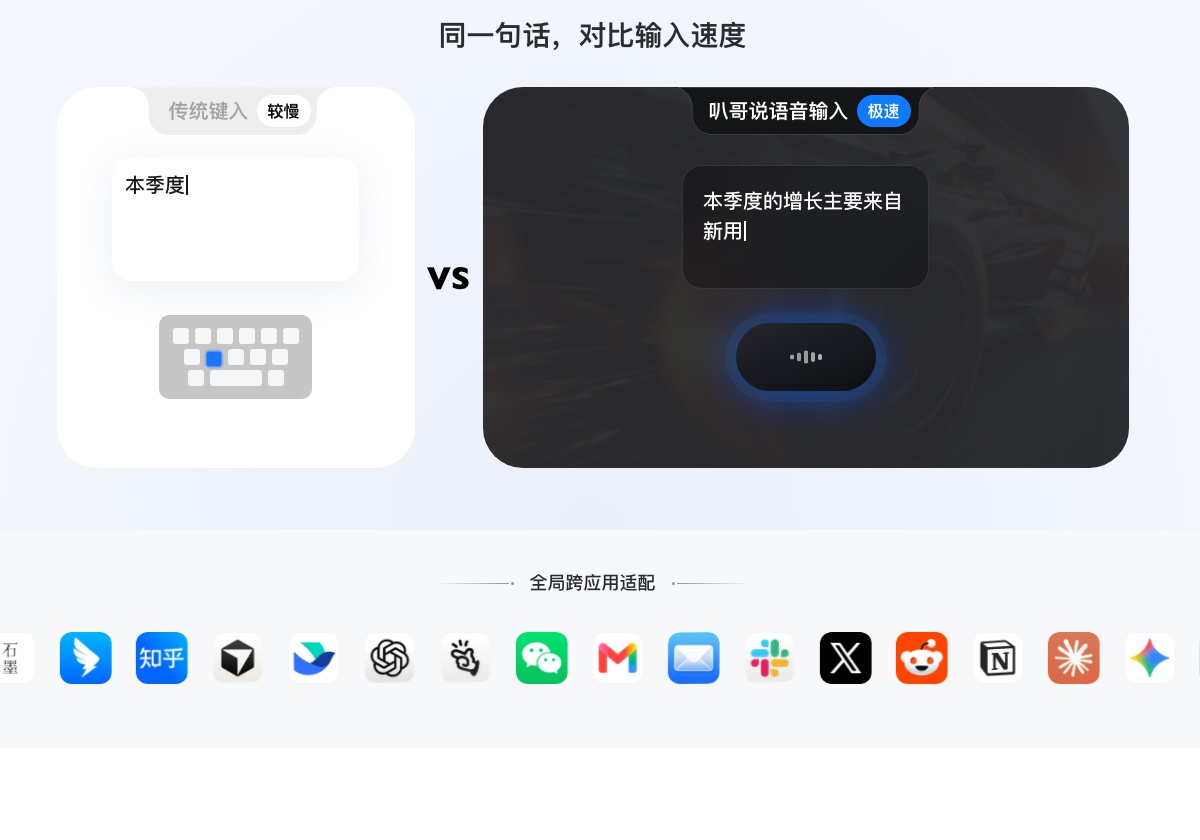
- The text appears almost instantly. Hold the shortcut, say your piece, let go, and the words land at the cursor within about a second. There is no spinner, no dead air, so your train of thought stays intact.
- It is completely free, with no word limit. No carefully counting what is left of the weekly quota, and no “faster processing” perk locked behind a paid tier.
It is also not a conventional pinyin IME. It sits in the background instead of taking over your keyboard. Whether the cursor is in WeChat, Feishu, a browser tab, Notion or a notes app, you hold the shortcut, speak, release, and the text goes straight in.
How It Compares with the Alternatives
The obvious question is how it stacks up against Doubao or the dictation your system already ships with. The short version:
- Built-in dictation: a plain recorder. It types exactly what you said, filler and misheard words included. I rarely use it.
- Doubao IME: quick and pleasant for pinyin typing, but its voice input is still literal transcription. It will not tidy up what you meant, and it is a full IME that wants global keyboard access.
- Typeless: still more refined when the logic runs long and complicated, which is why I have not deleted it. But it is slow, capped and expensive. For the 90 percent of everyday messages and notes, free and near-instant Bagesuo is already enough.
On privacy, the site states that nothing is retained in the cloud, that audio is not used for training, and that history stays on your own machine. For routine everyday input that is fine by me.
Wrapping Up
For most people, voice input is about saving effort. No rationing words, no waiting around for text to appear, no paying every month for the privilege — just get my words down quickly and that is enough.
If long WeChat messages and weekly reports wear you out, and you would rather not touch the keyboard, it is worth installing. It does save a fair amount of hassle.