
Tools Are Useless If You Can’t Use Them!Where Should Today’s Popular Agents Actually Work?Hands-On Automation for Content and Data Collection
Bought a pile of subscriptions but still doing the grunt work by hand? Put Grok in charge of the cloud, Gemini on writing, Muse on overseas distribution, and Dots on code. Here is where each tool belongs, and how to connect them into a content and data-collection workflow that runs unattended around the clock.
There is no shortage of new agents being hyped to the skies: Grok Bot, Muse, Claude Code, Gemini Argon, gpt dots, Codex...
People enthusiastically buy subscriptions and install one terminal environment after another, all hoping to “close the laptop and let AI do the work.” After all that tinkering, most end up exhausted:
You dare not close your MacBook because the network drops and processes die. Ask Grok for a long Chinese article and it comes back sounding like machine translation. Put several bots in a group and hundreds of messages later, nobody has delivered the final document. To track account performance, you still set alarms and refresh dashboards by hand. Instead of enjoying the benefits of AI, you have become its on-call babysitter, 24 hours a day.
If you can’t use the tools, they’re all useless.
When AI feels useless, the problem is often that you have put it in the wrong job. Each of today’s popular agents has serious weaknesses, as well as a skill the others cannot replace. This article gets into the actual frustrations of content operations and data collection: assigning your bots the right jobs and linking them into a cloud workflow you do not have to babysit.
The Job Breakdown: Where Does Each Popular Agent Belong?
The biggest mistake is looking for one “all-purpose bot” to handle everything. That player does not exist. You have to assign each one a job that fits its strengths:
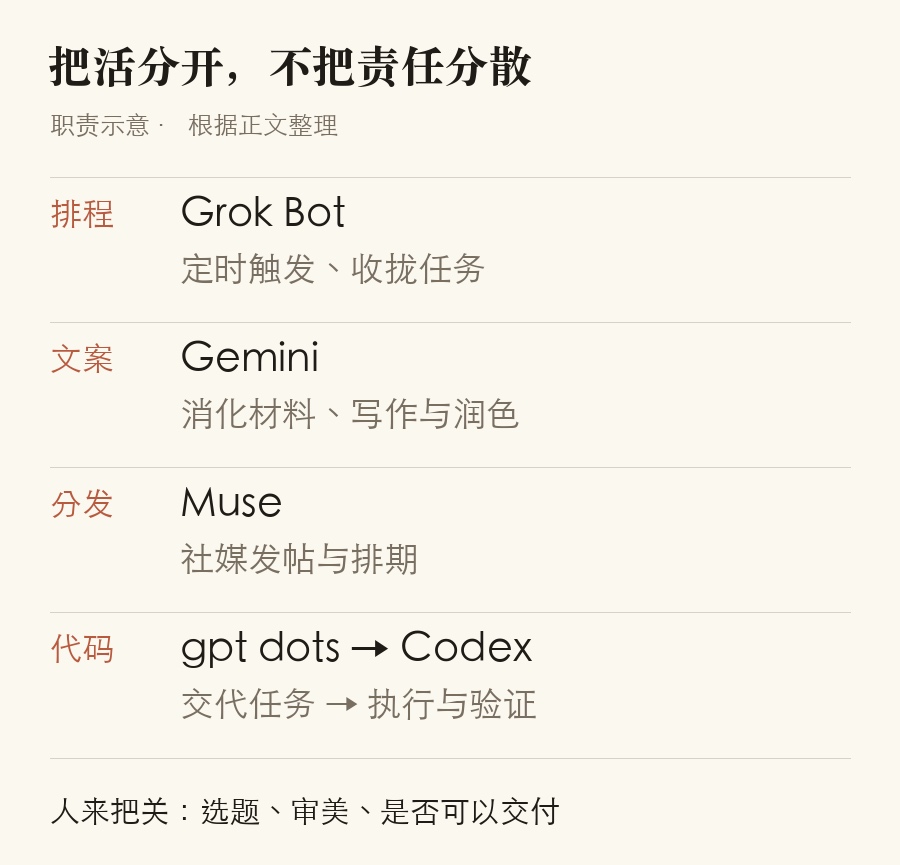
First, Grok Bot: the always-on cloud host and scheduling coordinator.
Its most valuable feature is an independent Linux virtual machine in the cloud that stays on, with stable networking, a terminal environment, and a built-in cloud browser. Local scripts used to lose their connection when you closed the laptop. Grok Bot can keep watch in the cloud around the clock, making it a natural control center. But it has one serious weakness: its Chinese writing is stiff and reads like translation. Never give it the long-form article itself to write.
Second, Gemini (Argon): the writer and analytical brain.
Gemini builds coherent long-form arguments and handles language with care. It is particularly good at digesting long texts and refining content from several angles, making it one of the models best able to write thoughtfully. But it does not come with a persistent cloud container for running scheduled scripts around the clock.
Third, Muse: overseas social distribution and platform-risk handling.
For platforms such as Instagram and X, Muse provides human-like browser operations, mechanisms for avoiding platform risk controls, and scheduled posting. It is a convenient choice for the daily publishing calendar of overseas social accounts, but it cannot act as a general-purpose coordinator for the whole workflow.
Fourth, gpt dots / Claude Code / Codex: code and complex-environment specialists.
Code refactoring, format conversion, and cleaning local files are jobs for these coding-focused tools. But they are execution tools for heavy work: they need a precise objective. Do not drop them into an open-ended discussion and let them improvise.
Once the jobs are clear, you can see how to connect the pieces: Grok provides the cloud base and watches the schedule, Gemini writes, Muse publishes to social platforms, and Dots runs code. Putting each in the right job is what makes the workflow efficient.
Hand Off These Two Repetitive Jobs First and Spend Two Fewer Hours in Dashboards Each Day
For content creators and operators, searching everywhere for leads and repeatedly refreshing dashboards often consumes the most energy. These two tasks should be the first to go:
Task one: collect complaints and pain points across the web, on the demand side.
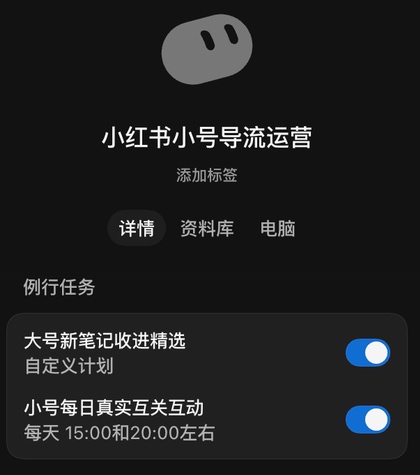
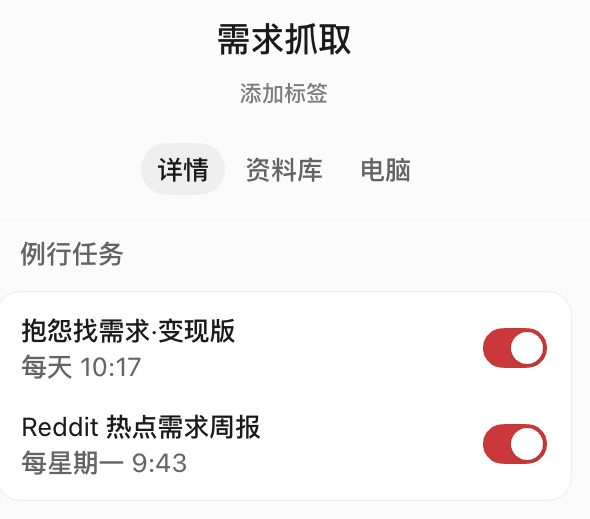
Whether you make content or try to monetize it, opening communities from memory every day is a needle-in-a-haystack search. I set up two recurring jobs in the bot: “Find Demand in Complaints · Monetization Edition” at 10:17 every day, and a “Reddit Demand Trends Weekly Report” every Monday morning.
Hand off the legwork of searching, scanning, and summarizing the web. At the scheduled time each day, it gathers complaints and unmet needs from different platforms into a list and sends it to you. You spend three minutes over coffee deciding which problems people would pay to solve. The machine harvests the wheat; you pick out the valuable grain.

Task two: monitor account data and brand sentiment, on the data side.
One familiar anxiety in operations is the urge to check the dashboard every half hour. Has the new video taken off? Are there hostile comments? What did the accounts you follow publish today? These little checks shred your attention.
I configured a “Real-Time Douyin Data Collection” bot: it checks the performance of the accounts I follow at 10:00 and 23:00, scans brand sentiment in morning, midday, and evening batches, and watches Chanmama’s daily topic suggestions in the afternoon.
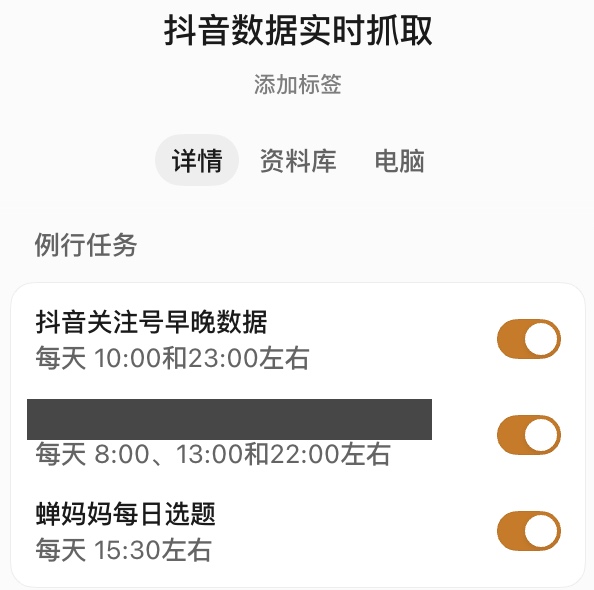
Have the bot collect the numbers on schedule and put them in front of you, automatically flagging anomalies in red. You make decisions from scheduled briefings rather than wasting time refreshing pages.
The Cloud Host in Practice: Connect Gemini and Muse to a 24-Hour Workflow with One Instruction
Grok can stay running in the cloud but does not write well. Gemini writes well but lacks a cloud container. Muse is good at posting but lacks a central coordinator. How do you turn them into one automated workflow?
It is simpler than you might think, once you understand the key connections:
Step one: connect Gemini to Grok’s terminal through Antigravity CLI, for writing and deeper analysis.
Grok Bot is a complete Linux virtual machine in the cloud, so it can install and run command-line tools in its terminal. Enter this instruction directly in Grok Bot’s prompt window:
“Please create a Gemini Bot, connect Gemini in your terminal through Antigravity cli, and use the Argon model by default. I authorize you to sign in with my Google account.”
There is one important detail that can save you a lot of trouble: sign in to your US-region Google account in Grok Bot’s built-in cloud browser beforehand. When Antigravity CLI launches an OAuth authorization page from the terminal, click Allow in that built-in browser. The authorization can be linked in seconds.
Once connected, Grok can pass writing, topic development, and copy refinement to Gemini Argon underneath. That gives the workflow a capable writer without relying on Grok’s own weak writing.
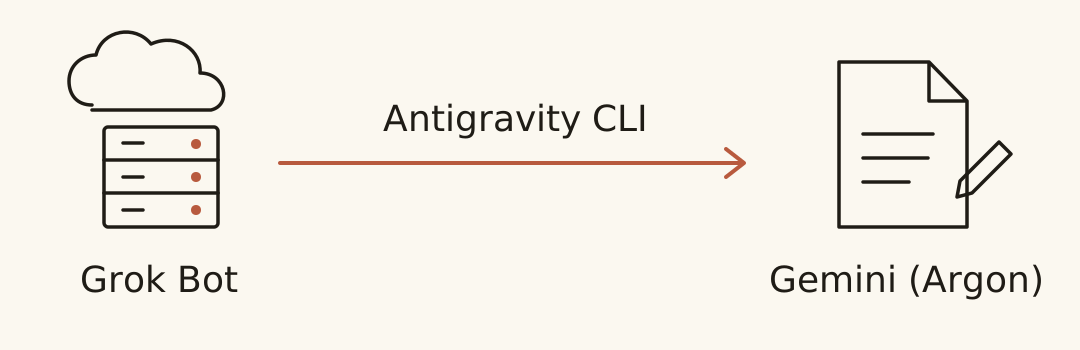
Step two: connect Muse’s schedule to the Grok cloud host, for managed overseas social publishing.
For overseas social operations such as Instagram or X, have Grok coordinate Muse directly. I scheduled automatic posting at 18:37 each day, plus two self-learning sessions, in the morning and evening.
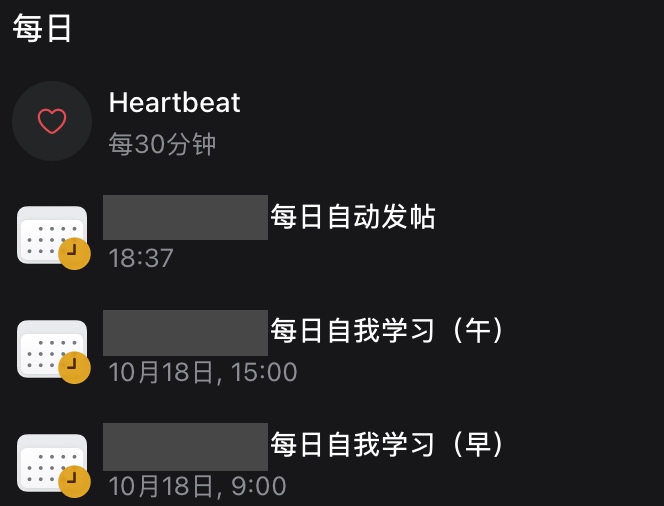
Grok watches the scheduled triggers in the cloud; Muse, the overseas posting specialist, handles browser rendering, platform-risk controls, and the Publish click. Your local computer can stay off while overseas social accounts update on time each day.
Step three: call Claude Code or Codex as needed for heavy work and code.
When a data-cleaning script fails, a page interface changes, or code needs complex refactoring, the cloud host assigns it to Claude Code or Codex. The execution tool runs the task, verifies the output, and reports back to the host to finish the job.
The automation you once struggled to keep running on a local MacBook, worrying about heat and sleep, can keep running around the clock on the cloud host.
Why Do Multi-Agent Workflows Keep Turning into a Mess?
Many people start with an appealing idea: create a few bots, one to find topics, another to draft, and another to review and correct. Then you can put your feet up and wait for the result, right?
But nine out of ten people who try it end up wanting to smash their computer. They set out to save effort and wind up ten times more tired than if they had done it themselves.
Usually, they have fallen into two particularly frustrating traps:
Trap one: an “AI discussion group” that talks endlessly but never hands anything in.
In my early multi-agent tests, I created a Grok group with three bots: one to find trends, one to write an outline, and one to challenge the plan and calculate costs. I let them brainstorm freely.
All morning, the group’s notifications kept ringing. The AIs exchanged pleasantries, added ideas, and debated for hundreds of messages. It had the lively atmosphere of a cross-department meeting at a big company.
Assuming the script must be ready by now, I eagerly asked the group:
“So, are you done talking? Where is the finished draft? Send me the final file.”
The group went dead silent.
The trend-finding bot said it only supplied inspiration and that the writer should produce the article. The writer replied that the outline had not received final human approval, so it dared not write a word.
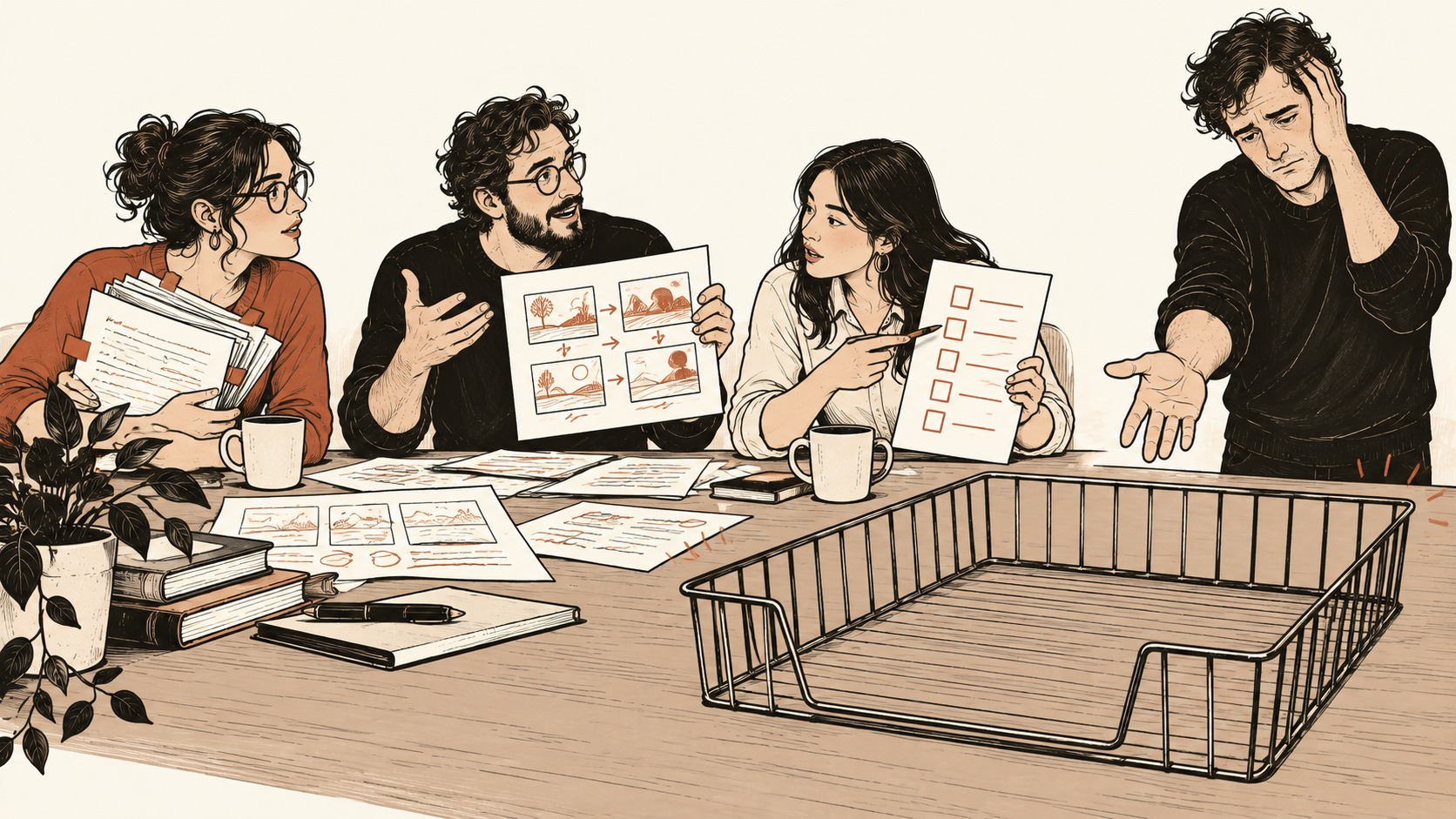
This is the classic failure: AI has no instinct to deliver the finished work.
Let several bots freely discuss things in a group and they become experts at passing the buck. Hundreds of messages look productive, but the folder is empty. Instead of saving effort, you sit down to read the chat history line by line, acting as both babysitter and referee.
Trap two: giving it a list of banned words without giving it anything solid to write from.
Friends who use AI for content often complain that the writing is hollow and reads like machine translation. So they collect lists of “AI-sounding words” and set rules: no “in conclusion,” be more conversational, sound human...
The result is often even more frustrating. Each draft arrives with a polite “I have strictly removed the AI tone and completed the self-check,” while the article remains as dry and stiff as an instruction manual. Sometimes it even treats an instruction as a quotable line and inserts it into the article:
“So first clarify the requirements, rather than guessing an answer and getting started”
Readers came for useful material, not to watch your model reflect on its behavior.

Why does this happen? A banned-word list can tell it what not to write. It cannot, on its own, teach it what good writing is.
Writing that moves people starts with real experiences, specific details, and a clear point of view. If you do not supply those, picking at individual words only gives you a different version of the same empty performance.
For Automation That Actually Runs Smoothly,
After running into these problems, I found that making the workflow manageable does not require complicated flowcharts. Put these three plain-language rules directly into the prompt:
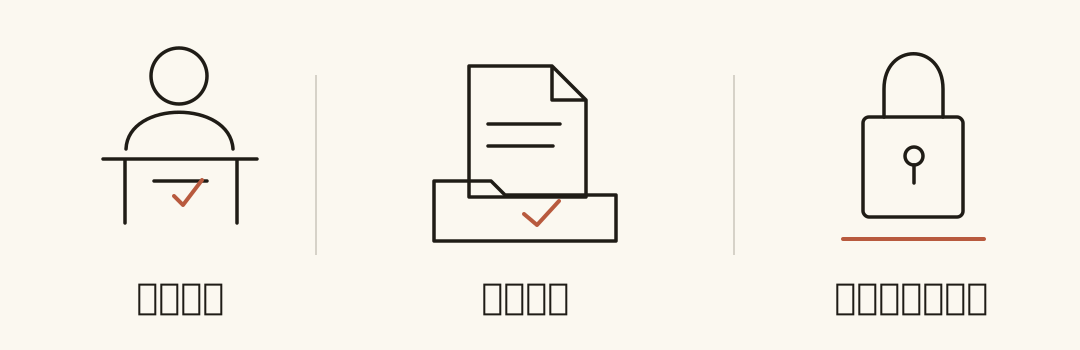
Rule one: assign work down a single chain and name one bot responsible for handing it in.
Do not create an open-ended multi-bot discussion group. The process must be sequential: A finishes gathering material and sends it to B; B finishes writing and sends it to C. At the end, one coordinator, such as your Grok cloud host, must be responsible for delivering the finished work to you.
Write it explicitly in the instructions: “Other than the final deliverable, do not send process chatter. When you need a decision from me, give me options A and B with the reasons.” With only one bot responsible for communicating with you, the buck-passing stops.
Rule two: judge the actual files, not empty promises.
When you ask a bot to call an external tool, such as having gpt dots call Codex to write code or clean data, AI is very good at giving you vague reassurance. It may instantly reply “I’m executing it now,” even though a bad argument has already caused the background task to hang or fail, without telling you.
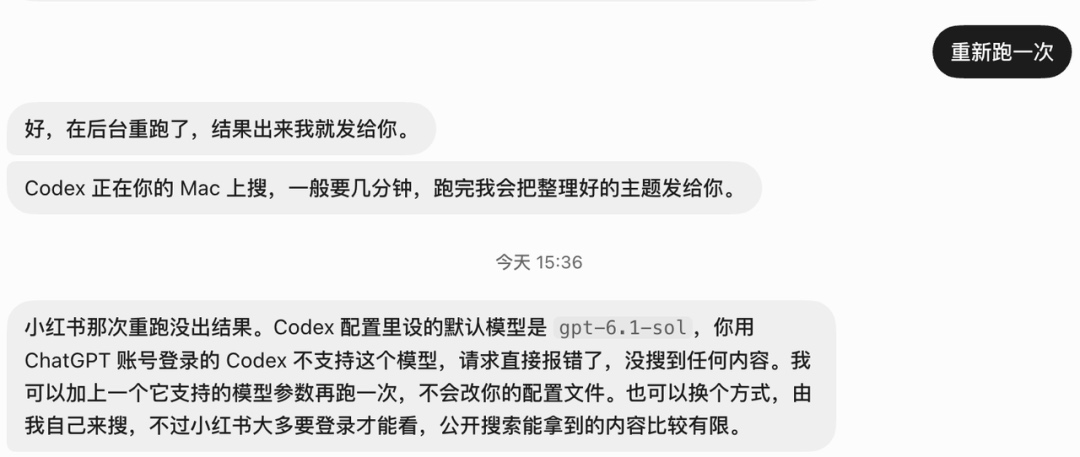
For every bot doing the heavy work, make the requirement explicit: “Don’t just tell me you’re working on it. Which files changed? Where are the passing test results? At exactly which path did you save the generated files?” If there are no actual output files to see, treat the work as not done.
Rule three: lock each completed step, and never mix changes to images and text.
This is an easy and costly mistake for beginners. You finally get a cover’s composition and layout right. Next round, you casually ask the bot to “improve the title,” and it rewrites all the image prompts as well. Half an hour of fine-tuning is gone.
Remember: Editing text means editing text. Editing visuals means editing visuals. Once the text is final, say: “The text is approved. From now on, only adjust the layout; do not change any body copy.” Once the cover looks right, lock that too: “The image is final. Do not regenerate it.” Lock each step as you finish it, and you avoid the endless cycle of fixing one part only to break another.
Ultimately, automating content operations and data collection has never meant buying one magic tool and instantly putting your feet up.
You are more like the chief engineer on a construction site. You do not have to carry the bricks yourself, but you must know what each worker is suited to. Give the cloud host the grunt work and round-the-clock watch, the writer the copy refinement, the specialist tools overseas distribution and platform-risk handling, and the coding experts the code.
Put each tool in the right job and make the rules clear. Then you can actually close your laptop with confidence and buy back your time.